| AJAX Error Sorry, failed to load required information. Please contact your system administrator. |
|
|
| Close | ||
| Loading..... |
How to Update Your Password
Go to https://sarawakid.sarawak.gov.my.
Log in to view your member page.
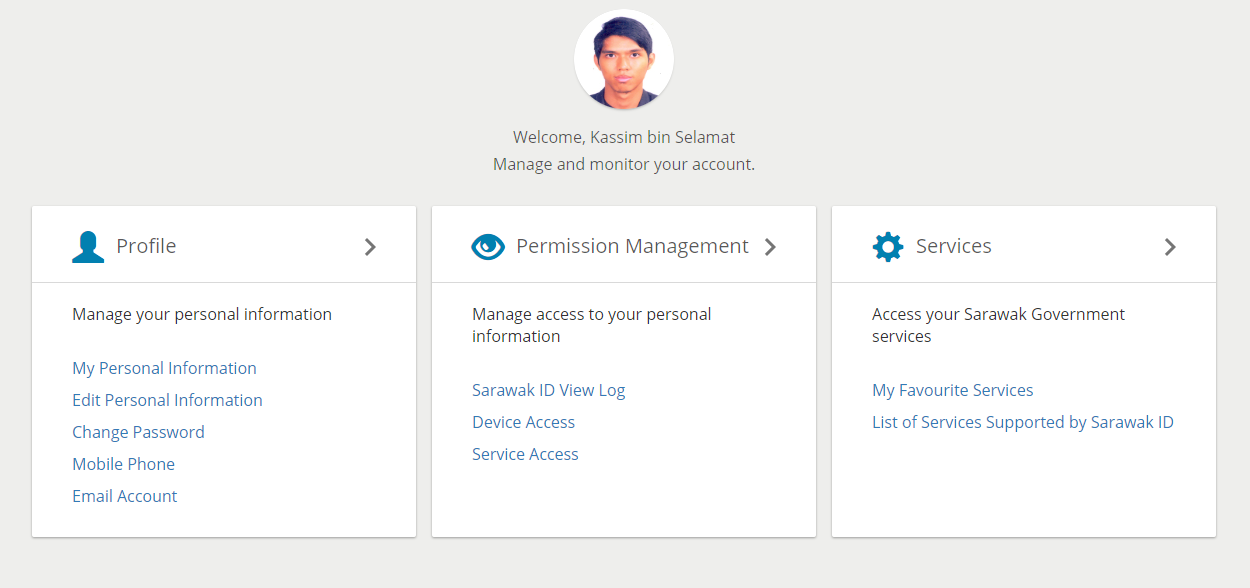
Under 'Profile', click 'Change Password'.
The Change Password screen will look like this.
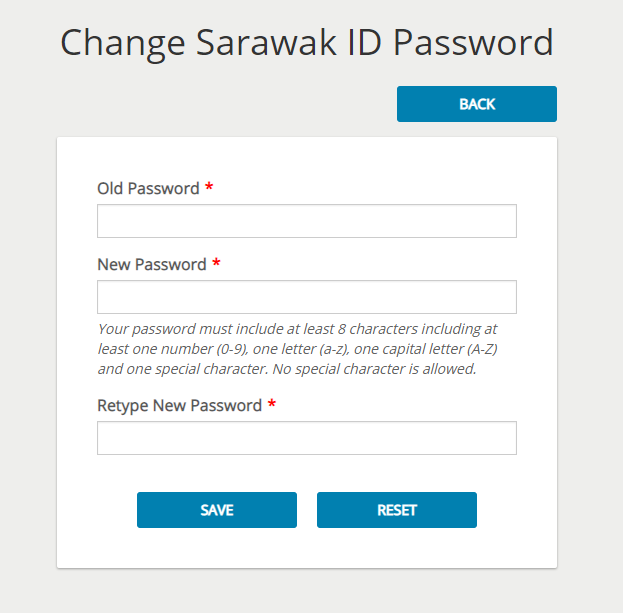
Type your current password and your new password into the respective fields. Confirm your new password by re-typing it in the "Retype New Password" field.
Your new password should follow the password criteria shown below the "New Password" field.
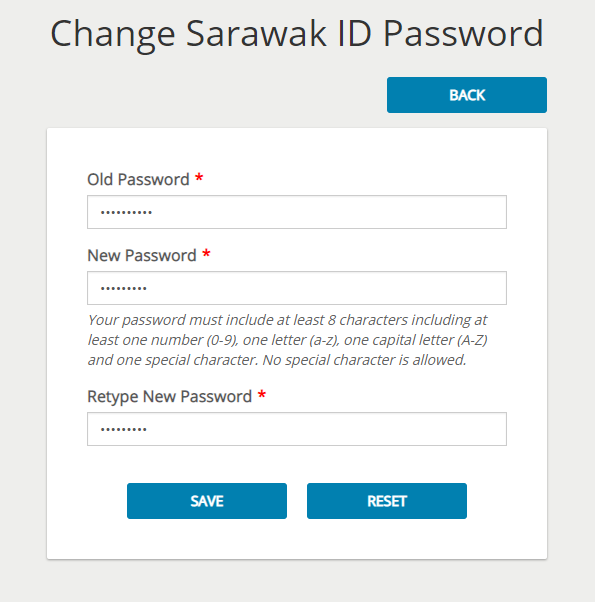
Once you have confirmed your new password, click the "SAVE" button to save your new password.
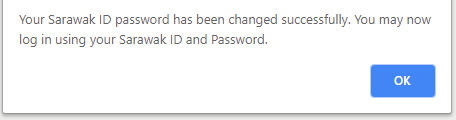
You will be greeted with a success message after your password has been succesfully updated.
To reset your Sarawak ID password now, please click on this link.
State Secretary
Sarawak State Secretary Office,
Level 20 , Wisma Bapa
Malaysia
Petra Jaya, 93502 Kuching
Tel :082-555999
Fax
:082-555888
Email: 555999@sarawak.gov.my
Copyright © 2018-2025 Sarawak Government. All rights reserved
Disclaimer: The Government of Sarawak shall not be liable for any loss
or damage caused by the usage of any information obtained from this
portal. Services provided through this portal are subject to the terms
and conditions of the respective providers
Best viewed with latest Firefox and latest Google Chrome in 1024 x 768 screen resolution.
No. of visitors 27105973


